
iCat resource
Property Claims Estimating Software for Restoration Contractors

Property claims estimating software can help a restoration contractor organize the information behind a contents job, but the estimate is only as dependable as the records and workflow that support it. The practical question is whether the software helps your team document what was handled, what services were performed, and which items need a separate valuation process.
Talk to a contents restoration software expert
For contents work, estimating is not one undifferentiated list of objects and prices. Inventory, production records, service quantities, and non-salvage replacement valuation answer different questions. Keeping those purposes clear helps field teams and estimators build a more complete job record without adding unnecessary information to every line.
What should property claims estimating software help a contractor do?
Property claims estimating software should help a restoration contractor connect a documented scope of work to the quantities, services, and supporting records needed to estimate that work. It should make the job easier to understand from field capture through office review, rather than just collect item names.
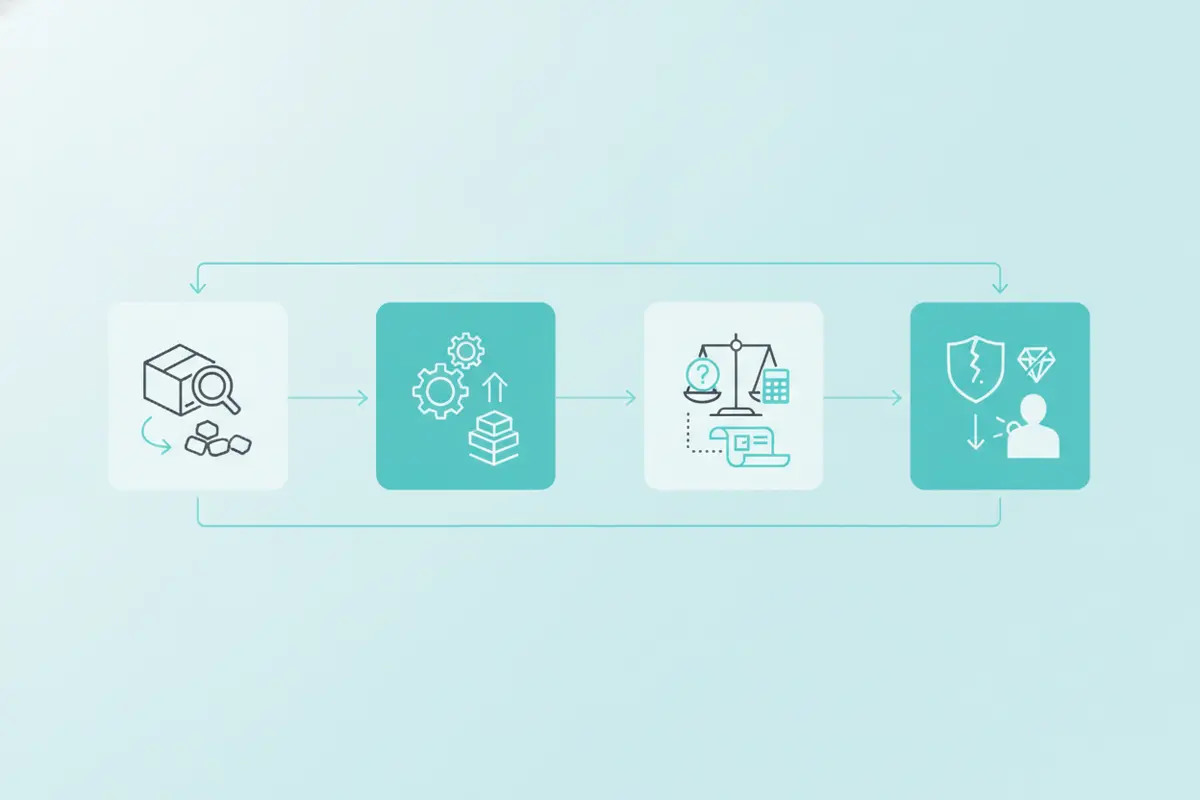
Contents restoration usually involves several distinct kinds of information. A useful workflow makes each one easy to find and relates it to the right job, room, item, box, or service:
Inventory: What contents were identified, where they were found, how they were identified, and what happened to them as the job progressed. Condition and status: Relevant observations and whether an item is pending, being processed, ready for return, or following a separate disposition path. Production and service records: The quantities and activities that support pack-out, handling, transportation, storage, cleaning, pack-back, or other applicable services. Estimating information: The quantities and service details the estimator needs to choose applicable estimating methods and describe work performed. Non-salvage valuation:* Additional item-specific information for items determined to be non-salvage, where a Schedule of Loss and replacement valuation may be needed.
A general contents inventory does not require replacement cost, age, depreciation, or actual cash value for every inventoried item. Those details belong to the non-salvage branch when the item has been determined to be non-salvage and a replacement valuation workflow applies. Maintaining that distinction keeps the routine inventory useful without turning every object into a valuation assignment.
For a broader view of the tools that coordinate these steps, see this guide to contents restoration software for contractors.
How do inventory and estimating records fit together?
A contents inventory supports estimating by documenting the contents, quantities, handling, and services connected to the job. The estimator can use those records to describe and quantify the work instead of reconstructing the job from memory after production is complete.
The inventory is not itself a bill, a complete service estimate, or a replacement valuation. It is an operational record that helps explain what the team encountered and what moved through the process. The estimate applies the relevant pricing method and service line items to the documented scope.
For example, a team might record the number of boxes packed from a room, identify selected items individually, and track where packed contents are stored. The estimator then uses the appropriate method for the documented work. General contents may be processed and billed using applicable flat-rate box pricing. Certain contents may instead require individual applicable line items. Pack-out, pack-back, storage, transportation, and other services each have their own estimating approach.
This is why the information model matters. If an application mixes item inventory and service billing into a single undifferentiated record, staff may struggle to explain which quantity supports which charge. If it keeps the records connected but distinct, a reviewer can trace from a service quantity to the operational record without mistaking an inventory description for a billing decision.
Use a job record to answer practical questions such as:
Which rooms and contents were included in the documented work? What quantities were packed, transported, processed, stored, or returned? Which items need individual identification instead of being represented by a box quantity? What service happened, when did it happen, and what record supports it? * Which exceptions remain open, and who must resolve them before the estimate is finalized?
These questions align inventory with estimating while preserving a clear boundary between recording the job and deciding how the work should be estimated. Review the practical field inventory practices for restoration teams when shaping capture standards for technicians.
Which records belong in the estimate, and which belong elsewhere?
Estimating records should include the information needed to support the scope and quantity of services being estimated. They should not treat every piece of information about a contents item as an estimating requirement.
| Record type | What it helps establish | When it is relevant | Keep in mind |
|---|---|---|---|
| General contents inventory | Item or box identity, room or location, relevant condition or status, and movement through the workflow | Throughout contents handling and production | It is a job record, not a replacement valuation for every item. |
| Service and production record | Quantities and activities tied to pack-out, pack-back, storage, transportation, cleaning, or other services | When documenting and estimating applicable work | Use the appropriate estimating method for each service. |
| Individually identified contents | Specific item details that help identify and manage selected contents | When a box count alone is not sufficient for the work | Do not add age or replacement value unless the separate workflow calls for it. |
| Non-salvage Schedule of Loss | Detailed descriptions and replacement or like-kind-and-quality information, with age, depreciation, or RCV/ACV where applicable | After contents are determined to be non-salvage and valuation is required | Keep pending exceptions separate until authorization and needed information are resolved. |
| Estimate or billing record | The applicable quantities, services, and estimating or billing treatment | During scope preparation, estimating, and review | It should be traceable to the underlying job records. |
A table like this can also guide software evaluation. Ask whether the system preserves the relationship between inventory and job services, while allowing different records to serve different purposes. Avoid forcing users to complete valuation fields on ordinary inventory lines just because those fields exist elsewhere in the workflow. For additional context on estimate review responsibilities, see the United Policyholders guide to reviewing adjuster and contractor estimates.
For details on the distinct non-salvage branch, use a focused non-salvage contents processing workflow. That workflow should support item-specific rationale, evidence preservation, status separation, exceptions, authorization, and chain of custody. It should not be confused with standard pack-out documentation.
How should software handle non-salvage items?
Software should make non-salvage items visible as a distinct workflow after the appropriate determination, not silently treat every item as a replacement valuation case. Contractors need a way to preserve item-specific evidence, record the rationale and status, identify unresolved questions, and document authorization and custody as the process advances.
When a contents item is determined to be non-salvage, the work may require more detailed descriptions and replacement or like-kind-and-quality information. Age, depreciation, and replacement cost or actual cash value may also be relevant, depending on the applicable process. Homeowner participation in replacement selection or valuation belongs here, not as a mandatory step for every item in the general inventory.
Set the workflow up so staff can distinguish at least these states:
- Observed or inventoried: The item is identified and documented, but no non-salvage determination has been recorded.
- Pending review: The item needs additional inspection, information, or authorization. It should remain visibly unresolved rather than being folded into a completed list.
- Determined non-salvage: The item has moved into a separate documentation and valuation process, with the reason and supporting evidence retained.
- Authorized and processed: Required decisions and records are complete, and the item can proceed through the applicable next steps.
Clear status separation reduces confusion during handoffs. A pending exception should not look like a final decision. A valuation record should not overwrite the original inventory history. And a system should support the contractor's records without implying that software independently decides whether an item can be salvaged.
What should contractors check when choosing property claims estimating software?
Contractors evaluating property claims estimating software should test how the product handles the real movement of a contents job, not just its feature list. The right fit depends on whether field and office teams can keep usable records, handle exceptions, and pass supported quantities into estimating without duplicate reconstruction.
Use a representative job scenario during evaluation. Include a room with ordinary boxed contents, several individually tracked items, a service quantity, an item awaiting further review, and one item that follows a separate non-salvage path. Then ask the vendor to demonstrate the complete record from initial capture through office review.
Test field capture and record retrieval
Ask how a technician identifies an item or box, associates it with a room or location, captures relevant condition, and updates its status. Check how easily another team member can find that record later. If field operations sometimes lose connectivity, test offline capture and the synchronization process rather than assuming it will work as needed.
Check that the field process suits the devices your team actually uses and that records remain understandable after synchronization. The purpose is a reliable job history, not extra taps or unnecessary fields that slow production.
Test the handoff from production to estimating
Ask an estimator to use the records created in the test job. Can the estimator confirm quantities and services without rebuilding the entire scope from texts, memory, or separate notes? Can the team distinguish general box quantities from individually billed items and see supporting production details?
Also examine how exceptions are presented. The estimator should be able to spot incomplete information and ask the right person to resolve it. A record that looks complete but hides a pending issue is less useful than an explicit exception with an owner and next action.
Check access, exports, and change history
Determine who can view or update records, how managers review work, and what happens when information changes. Ask whether the system can provide usable exports or documented ways to exchange job data with the rest of your operation. Do not assume a particular integration exists. Confirm current availability, scope, and responsibilities directly with the vendor before making it a buying requirement.
If technical flexibility matters to your business, review the product's published API access information and confirm that the documented options fit your actual workflow. An API can be useful, but it does not by itself prove that a specific connection is available or included.
How can a contractor improve the records before choosing a platform?
A contractor can get more value from property claims estimating software by defining consistent capture and review practices before rollout. Software will not fix unclear ownership, inconsistent room names, or missing service quantities without a process that addresses those problems.
- Agree on the minimum useful inventory. Define how technicians identify rooms, boxes, selected items, condition, and movement. Capture information that helps manage the contents, not valuation details unrelated to the current workflow.
- Standardize service quantities. Decide how the team records the units and activities needed to support applicable pack-out, transportation, storage, cleaning, pack-back, and other service estimates.
- Define exception ownership. Specify who reviews missing details, pending condition questions, non-salvage decisions, and authorization needs. Give each open issue a clear next step.
- Set a handoff checkpoint. Before estimating, check whether inventory and service records describe the job clearly enough for the office to proceed. Return incomplete records for correction while the details are still available.
- Pilot on a representative job. Include normal work and at least one exception. Ask technicians, project managers, and estimators where the process creates delay or ambiguity, then refine the standard.
- Review record quality over time. Look for repeated missing fields, inconsistent quantities, and unresolved exceptions. Coach the process that causes the pattern rather than adding fields indiscriminately.
For a step-by-step view of how contents move from field activity through completion, see how to process a contents restoration job and the guide to contents workflow from pack-out to completion. These resources can help teams align job stages before they configure a new system.
How does iCat fit into a contents contractor's workflow?
iCat is a contents restoration management platform that helps teams capture and manage contents information from the field through the office. Its role in the workflow is to organize inventory, related records, and job activity so teams have a clearer operational foundation for their work.
iCat was introduced in 2009 with photo inventory and automatic descriptions and valuations, before AI became a common industry label. Today, its product information describes photo-based inventory capture, a mobile app, a cloud web portal, and digital tools that support contents operations. Confirm current plan details and product capabilities directly with iCat as your needs evolve.
When assessing iCat or any platform, keep the same practical test: Can the team capture relevant information without slowing field work? Can the office retrieve it and understand quantities and status? Can the business keep general inventory, service records, and any non-salvage valuation workflow distinct while maintaining a connected job history? Start with the contents restoration software platform overview to see how iCat describes its product.
Talk with iCat about your contents workflow
Frequently asked questions
Does every contents inventory item need a replacement value?
No. A general inventory documents and manages contents through the workflow. Detailed replacement information, age, depreciation, or RCV/ACV belongs to a separate non-salvage valuation process when applicable.
Is an inventory the same as an estimate?
No. The inventory documents contents, locations, quantities, status, and movement. An estimate applies relevant estimating methods to the documented scope and services.
What should software show when information is incomplete?
It should make the exception visible, show what remains unresolved, and help the team identify the next action and responsible person. Pending items should not appear as completed decisions.
Should contractors assume an estimating integration is available?
No. Confirm the current availability, scope, and requirements for any specific integration with the software provider. Evaluate the underlying records and export or exchange options as well.
Build estimates from records that reflect the work
The most useful property claims estimating software supports a disciplined contents workflow: clear inventory, traceable service quantities, visible exceptions, and a separate path for non-salvage valuation when needed. Test those everyday handoffs with your own team, then choose a system and process that keep the job evidence understandable from field capture through estimating review.
For additional context on estimate review responsibilities, see the United Policyholders guide to reviewing adjuster and contractor estimates.
Start by documenting the work consistently, then use those records to make the estimating handoff clearer and easier to verify.