
iCat resource
Content Inventory Software: A Buyer Guide to Information Management

Content inventory software gives contents restoration contractors a shared way to capture item details, track status, and keep job information usable from pack-out through return. For an operations manager, the practical information management question is not simply where records are stored. It is whether the right people can find accurate information at the next job stage without rebuilding the record.
Talk to a contents restoration software expert
What should a contractor expect from content inventory software?
Useful content inventory software connects item-level records to the work your team must complete. It should help crews identify what was handled, where it belongs, what condition was observed, and what production or return step comes next. The purpose is operational continuity, not collecting data for its own sake.
At a minimum, evaluate whether a system supports clear records for:
Item identity: A description and photos that help a teammate recognize the item later. Location: Room, box, or other location details that make the record useful during handling and retrieval. Condition and status: What the team observed and the item's current stage, without treating a software record as an automatic salvageability decision. Movement: A way to preserve the trail as items move between the job site, storage, cleaning, and return workflows. Production and return information:* The details workers need to complete assigned tasks and put items back in the correct place.
These records support accountability across the contents operation. They are not all valuation records. A general inventory does not mean every item needs a replacement cost, depreciation, or age assessment. Those details belong to a separate non-salvage valuation process when that branch of the job requires them.
For a concise overview of the product category, see iCat's contents inventory software for restoration contractors.
How does information management fit into a contents operation?
Information management is the practice of organizing information so it can be found and used. Syracuse University's iSchool describes the discipline in terms of collecting, organizing, and controlling information so it remains accurate, accessible, and useful. For a contents team, translate that idea into a simple test: can the next responsible person act on the record without guessing?
That test matters at handoffs. A field supervisor may capture an item at pack-out. A warehouse lead may need its location and status during processing. A project manager may need to resolve an exception. A return crew needs enough information to place it correctly. If each person has to interpret disconnected notes or ask the previous worker what happened, the record is not doing its job.
Build a consistent record around the operational questions, not around a long list of fields:
- What is it? Capture identifying details and a useful photo.
- Where is it now? Record room, box, or current storage location using your team's agreed conventions.
- What is its status? Separate observed condition from the operational decision and the next task.
- What happens next? Make the responsible step clear, such as review, cleaning, staging, or return.
- Who needs the record? Ensure authorized team members can access it when their stage of work begins.
This structure prevents a common process mistake: treating a completed capture as a completed job step. Inventory records describe and locate contents. Production records show work status. Estimating records document quantities and services for accurate estimating. Non-salvage valuation is a distinct workflow with its own evidence and review requirements.
For a broader look at how the product fits in an operation, review the iCat contents restoration software platform and its API access for job and contents data.
Which content inventory software capabilities matter at each job stage?
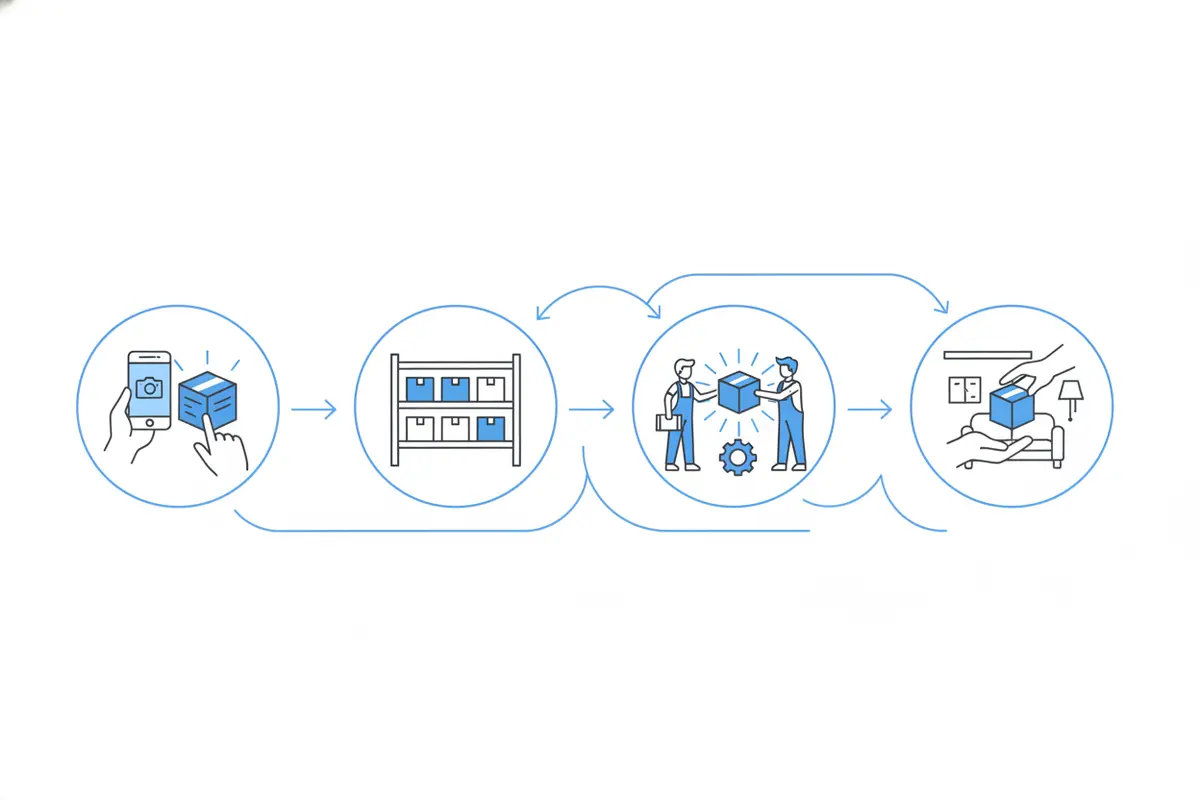
Choose capabilities by walking through a real job, from initial capture to return. This exposes whether a system supports the handoffs your operation actually makes. It also keeps an evaluation tied to outcomes such as record completeness, retrieval, and clear task ownership rather than a feature checklist detached from daily work.
| Job stage | Information to preserve | Evaluation question |
|---|---|---|
| Field capture | Item identity, photos, room or location, box or item identifier, and observed condition | Can a technician create a clear record while documenting the job? |
| Pack-out and movement | Container association, movement, and current location | Can the team track where the contents are as custody and location change? |
| Warehouse and production | Current status, cleaning or production progress, and exceptions | Can the warehouse lead identify what is ready, active, or waiting for a decision? |
| Estimating support | Quantities and services performed, kept distinct from item valuation | Can an estimator use the records to support accurate job estimating? |
| Pack-back and return | Return location, item or box identification, and completion status | Can the crew identify what goes where and confirm the return step? |
The table is an evaluation framework, not a claim that every software package handles each step in the same way. Ask vendors to show the workflow with a representative job. Use realistic contents, locations, and status changes, and confirm which details are captured on mobile versus managed in an office portal.
iCat describes its platform as including an iPhone app with offline support and a cloud web portal for managers and administrators. Confirm the current product scope that fits your team, including supported devices and how the portal relates to field work, during an evaluation. The iCat company overview provides background on its contents technology history.
How can an operations manager compare options?
Compare systems against your current job flow and the cost of information gaps. Do not assume that the system with the longest feature list will make handoffs clearer. A focused evaluation should establish whether the software supports the records, access, and controls your operation needs, and whether your team can maintain those standards under normal workload.
Use the following questions in a structured review:
Record quality: Can staff add useful photos and descriptions without unnecessary duplicate work? Findability: Can a warehouse lead locate an item by the identifiers and locations the team uses? Status clarity: Can a worker distinguish an item awaiting review from one ready for the next production step? Movement visibility: Is there a practical way to see location changes and identify missing handoff details? Role access: Can field, warehouse, management, and estimating users get the information relevant to their work? Reporting and export: Can managers retrieve operational information or connect it to authorized tools where needed? Adoption:* Can the team learn a consistent capture process and follow it on live jobs?
For each question, ask for a demonstration using a scenario rather than a generic presentation. For example, have the vendor show an item captured in one room, assigned to a box, moved into storage, sent through a production status, and located for return. Ask what happens when a label is unreadable or a location changes. The exception path often reveals more about operational fit than the ideal path.
Keep pricing review grounded in the way your business operates. Compare what is included, how user and job volume affect cost, and whether separate setup or onboarding charges apply. iCat's current pricing page is the appropriate place to confirm its published terms; do not rely on an old quote or an assumed price model.
What implementation steps make inventory records more reliable?
A software rollout works best when it standardizes a small set of operating rules before a team scales usage. Assign an operations manager to own the setup, then involve field and warehouse leads in testing the records against real handoffs.
- Map the handoffs. Write down who captures, receives, moves, processes, and returns contents. Note where information is currently repeated or lost.
- Agree on naming conventions. Define how rooms, boxes, locations, and statuses are labeled. Keep terms short enough for staff to use consistently.
- Set minimum record expectations. Identify the information needed to recognize and locate an item. Avoid requiring valuation fields for ordinary inventory when the job does not call for them.
- Define exception ownership. Decide who resolves missing identifiers, unclear condition notes, location changes, and items awaiting a decision. A status should identify the next action, not hide an unresolved issue.
- Run a representative pilot. Test one complete job path with the people who do the work. Include routine items and exceptions, then check whether records remain understandable at each handoff.
- Review quality and revise. Have a supervisor sample records for missing location, unclear status, duplicate descriptions, or unassigned next steps. Use findings to improve the process and training.
Set a small number of measures before rollout so managers can judge whether the workflow is improving. Examples include the share of sampled records with a location and status, the number of records requiring follow-up for missing information, and unresolved exceptions at shift handoff. These are internal operating measures, not vendor performance guarantees. Define the measurement period and sample consistently so comparisons are meaningful.
Make the quality check useful rather than punitive. When a record is incomplete, find out whether the field process, status choices, device access, or training made completion difficult. Correct the workflow at its source. Repeated reminders will not compensate for a confusing capture standard.
How should inventory relate to estimating and valuation?
Keep inventory, production, estimating, and non-salvage valuation connected where useful but distinct in purpose. This separation helps a contractor preserve a clear operational record without implying every item requires a financial assessment.
Inventory documents item identity, photos, location, identifiers, condition or status, movement, storage, production, and return information. Production records capture work progress. Inventory and production records can support accurate Xactimate estimating by documenting quantities and services, so an estimator does not have to reconstruct the job afterward. Applicable flat-rate box pricing may apply to general contents, while some contents use applicable Xactimate line items. Pack-out, pack-back, storage, and transportation have their own estimating approaches.
Non-salvage contents follow a separate branch. When an item is designated for that process, the operation may need item-specific rationale, preserved evidence, appropriate authorization, and replacement or LKQ information. Any AI-generated pricing or valuation needs qualified customer or operator review before it is treated as final or used in a claim decision. Software can report condition for a user to consider; the user makes the decision.
These distinctions should be visible in your software evaluation. Ask how the platform separates operational status from decisions, and how it helps prevent an inventory record from being mistaken for a final estimate or valuation. Review the product workflow and current availability directly rather than assuming that every capability is automated or included.
Discuss your contents workflow with iCat
Frequently asked questions
Is content inventory software only useful for large restoration companies?
No. Any contents operation that needs consistent item records and handoffs can assess whether software fits its work. The right scope depends on job volume, number of users, storage and production processes, and how much information the team must share. Start with the points where records are repeated or difficult to retrieve.
Does an inventory record need a replacement value for every item?
No. A general contents inventory supports identification, location, status, movement, production, and return. Replacement or LKQ information belongs to the separate non-salvage valuation process when it is required. AI-generated valuation outputs require qualified review before being treated as final.
How can a contractor tell whether the software will improve handoffs?
Test a complete job scenario with field, warehouse, and return users. Follow an item through capture, location changes, production status, and return. Check whether each person can identify the next action without relying on undocumented knowledge from the previous worker.
What should an operations manager measure after implementation?
Sample records for complete location and status information, track follow-up needed to resolve missing details, and review unresolved exceptions at handoffs. Set a consistent sampling method and use results to adjust the process, not just to grade individual workers.
Content inventory software is worth evaluating when it makes records more usable across the job, clarifies who owns the next step, and helps your team preserve operational continuity. Contact iCat to discuss your contents operation and the workflow questions you want a system to answer.