
iCat resource
Disaster Restoration Software: An Implementation Guide

Disaster restoration software implementation works best when an operator starts with one contents workflow, defines what a complete record must contain, and tests the process on live work before expanding it. For an owner or operations manager, the goal is not simply to install an app. It is to connect field capture, warehouse handoff, production tracking, and closeout in one accountable process.
Talk through your contents workflow
Contents restoration has distinct operational demands: crews identify and photograph items, label boxes, transfer custody, process contents at a facility, and return items to the correct location. The implementation should preserve those connections while keeping general inventory distinct from any non-salvage valuation or estimating record. This guide focuses on adoption in a contents operation, not a broad rollout across every restoration department.
What should disaster restoration software implementation accomplish?
A useful implementation makes the next action and current item location easier to establish from a shared digital record. It should support the work your team performs, rather than require duplicate notes in separate systems.
Before choosing screens or training dates, write down the operational outcomes you need. Examples include identifying which boxes reached the warehouse, finding items awaiting cleaning, locating a specific item for pack-back, and confirming a delivery is ready. Treat these as operating goals, not promises of a particular time or cost saving.
Assign an owner to each update. A field supervisor can verify item identity and room at capture. A warehouse lead can confirm receipt and storage location. A project manager can monitor exceptions and completion. The record is only useful when someone knows who is responsible for keeping it current.
How should an operations manager map the current workflow?
Map the item's path from the first field interaction through return. Include each handoff where information or custody could become unclear. For every point, note who records the information, when it is recorded, and who needs it next.
- Field capture: Decide how crews associate photos and descriptions with a job, room, item, and box or item identifier.
- Packout and transport: Set how the team identifies each container and records movement from the property to the facility.
- Receiving: Name the person who confirms arrival and records a mismatch, missing item, or damaged container.
- Facility production: Define how current cleaning and processing status is recorded. Cleaning decisions are made at the facility, not during inventory capture.
- Storage and return: Establish how the team records location, picklist readiness, delivery, and return confirmation.
- Exceptions and closeout: Assign an owner and next action for unidentified, delayed, damaged, or otherwise unresolved items.
Walk a recent representative job with a field supervisor and warehouse lead. Ask each person to find a particular item and explain what they would do if its record were incomplete. Record workarounds without treating them as employee errors. They may reveal an unclear handoff rule or an unnecessary required field.
Then draw the future-state process in plain language. For example: the field supervisor confirms item and room data before the crew leaves; the receiving lead reconciles containers on arrival; the production lead updates status as work moves; the warehouse lead confirms location before staging return. Keep it short enough that a new team member can follow it.
Which information should the team standardize first?
Standardize the information needed to identify, locate, process, and return contents. Consistent values improve search and handoffs. Requiring fields that do not support a decision can slow crews and encourage workarounds.
| Workflow point | Record to standardize | Owner or check |
|---|---|---|
| Field inventory | Job, item identity, photo, room or location, and box or item ID | Field supervisor checks a sample before departure |
| Warehouse receiving | Arrival status, container identity, and exception note when needed | Warehouse lead reconciles receipt with expected items |
| Facility production | Current processing status and responsible team | Production lead updates status at the facility |
| Storage and return | Storage location, picklist status, and delivery or return information | Warehouse lead verifies location and handoff |
Agree on field names and permitted values before training. If one person writes “packed,” another “ready,” and another “in warehouse” for the same state, managers cannot reliably identify the next task. A short status dictionary should define each value and the event that changes it.
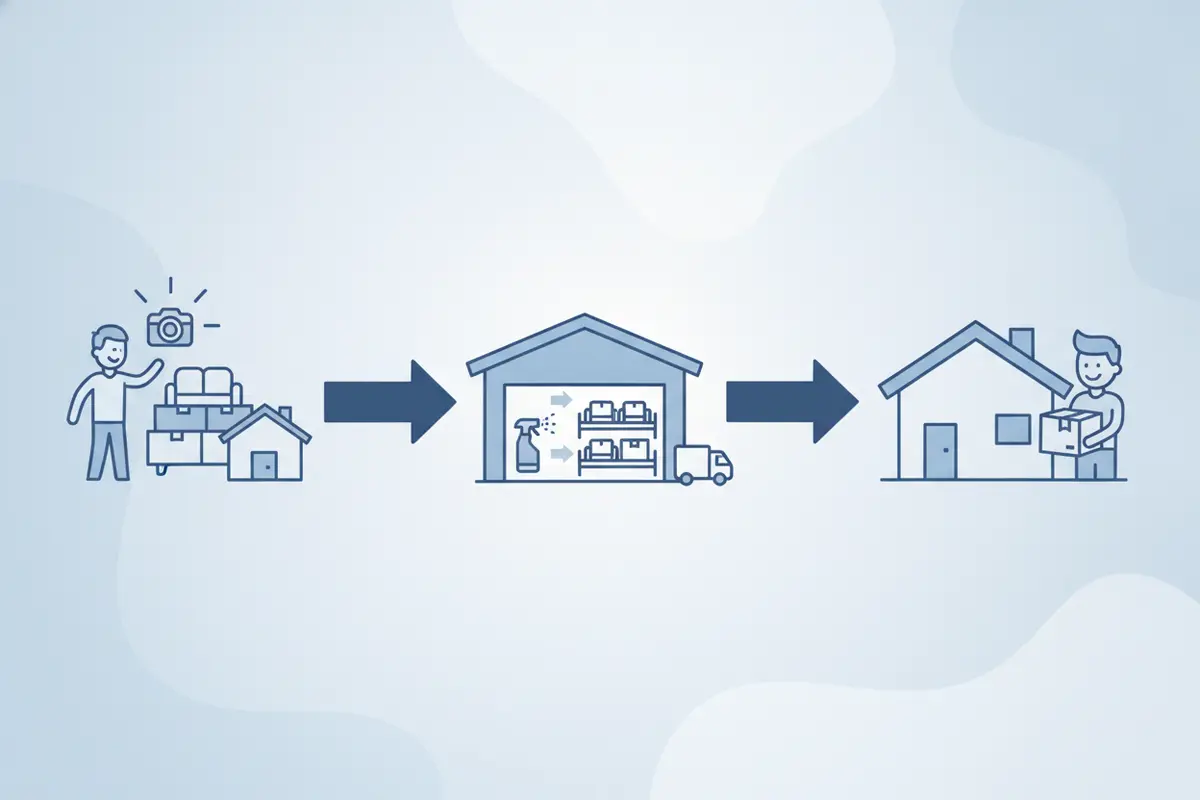
Keep inventory and production documentation separate from non-salvage contents decisions. Not every item needs replacement cost, depreciation, or valuation. When an item is determined to be non-salvage, route it to a distinct process with its own evidence, authorization, and review requirements.
How can a team compare implementation approaches?
Select an approach based on workflow risk, staff capacity, and how many handoffs will change at once. A broad launch can create confusion if roles have not agreed on shared standards.
| Approach | Best fit | Tradeoff | First step |
|---|---|---|---|
| Single-job pilot | A team testing record quality in an established workflow | May not expose unusual job conditions | Follow representative items through each handoff |
| One-team rollout | Several crews share a consistent process | Requires coordination with warehouse and managers | Train one crew and its receiving partner together |
| All-at-once rollout | A small team with aligned standards and a launch owner | More simultaneous change and harder troubleshooting | Prepare role-based instruction and daily issue review |
A representative pilot often offers a useful balance: it tests real field and facility handoffs without leaving warehouse work out. Set the boundary, participating roles, and review method before starting. Choose work that reflects ordinary operations, and include at least one exception scenario in the walkthrough.
What should a contents software pilot test?
A pilot should test continuity of records, not just whether staff can sign in or enter an item. Follow sample items from capture through return and check whether each role can find what it needs for the next task.
Can a crew member distinguish similar items using the description, photo, and location? Can warehouse staff identify what arrived and where it was placed? Can a supervisor find the current work stage and the person responsible for an exception? Can the team prepare a useful picklist for return without rebuilding the record? * Do staff know what to do if a photo, identifier, or status is missing?
Use a worked example. Suppose two similar lamps are recorded from one room, but only one is visible in a received box. The pilot should show whether the crew can identify each item, whether receiving can document the discrepancy, and whether a named person owns the follow-up. The purpose is not to eliminate every exception. It is to make exceptions visible and actionable.
Set a baseline before launch. Sample records for missing required identifiers, note how often staff search outside the system, and count open exceptions by age. Repeat the same checks during the pilot. These are local measures for your operation, not industry benchmarks.
How should managers train staff and handle adoption?
Train each role on the update it owns and the next person who relies on it. A feature tour is less useful than practice with a realistic job scenario.
Give field staff a capture standard: photograph the item clearly, associate it with the right job and room, and use the agreed identifier. Show receiving staff how to reconcile containers and record actual locations. Show project managers how to find stale statuses and assign follow-up. Status tracking supports the workflow; it does not replace professional decisions.
During the first weeks, identify an internal point person for questions. Hold a brief operations huddle to review recurring issues and decide whether each needs clearer training, a workflow change, or a configuration adjustment. Avoid quietly building a parallel spreadsheet for every problem. Record why a separate tool is needed, then close the gap deliberately.
Make training practical and repeatable. Have each role complete a short scenario: capture an item, transfer it, receive it, update its processing stage, locate it, and prepare return. Ask the trainee to explain what happens when information is missing. A successful login is not proof that a handoff is understood.
How should an operator measure whether rollout is working?
Use a small set of process measures tied to the reason for implementation. Review them with the people doing the work, and distinguish an adoption issue from a workflow issue.
Record completeness: Share of sampled items with required identifiers, images, and location information. Handoff visibility: Whether sampled items have a discoverable current location and status without a separate search. Exception ownership: Open issues with both a responsible person and a next action. Update consistency: Whether status changes are recorded at the agreed stage. Rework signals:* Repeated corrections or duplicate entry found during job review.
Review results by job stage and role, not as an employee scorecard. If completeness is weak, check whether the field is clear, the owner is trained, and the timing is realistic. Change one cause at a time and reassess. For example, if room names vary, clarify the room list before adding more required fields.
Use a simple weekly review: select a few recently active jobs, trace one item from field to return, list missing or conflicting updates, and assign a corrective action. Record the action and revisit it at the next review. This creates a short feedback loop without turning implementation into a paperwork project.
How does iCat support a contents team's operating workflow?
Implementation planning should connect software capabilities to the job stages they support. iCat provides digital contents inventory, team picklists, real-time cleaning status tracking, and a cloud portal for managers. Its iPhone app supports offline use. Confirm current capabilities and fit against your team's devices and workflow before setting launch expectations.
For a team planning data exchange, review iCat API access for job and contents data. See the contents restoration software platform to understand how inventory, picklists, and production status fit together. The company background explains iCat's contents-technology focus. For a field-to-facility walkthrough, use the packout field guide and warehouse workflow guide. The contents job workflow guide can help identify additional handoffs. For general workflow context, see the contractor guide to contents restoration.
Do not treat a product page or implementation checklist as a substitute for testing. Confirm the actual devices in use, who owns records when connectivity is limited, how exceptions are handled, and which historical records must remain accessible. A small representative pilot will show where the written process needs adjustment.
Discuss your implementation questions
Frequently asked questions
How long does it take to implement disaster restoration software?
Timing depends on workflow complexity, staff availability, data standards, and the roles involved. Set a review date for a bounded pilot rather than assuming a fixed rollout duration.
Should we migrate every historical contents record?
Not necessarily. Decide which active jobs and historical information are needed for current operations. Test a sample migration and verify that identifiers and attachments remain usable before expanding it.
What is the most important first step?
Map one representative contents job from field capture through return. Name each handoff owner and define the information needed before configuring the rollout.
How do we limit duplicate records?
Agree on the system of record for each workflow fact, train staff when to update it, and review duplicate entry during the pilot. Keep a separate record only when an operational or compliance need calls for it.
A reliable implementation is a controlled workflow change: standardize the essential record, test every handoff, and use evidence from live jobs to decide what to improve next.
For practical adoption context, the NIST Cybersecurity Framework describes a voluntary framework for managing cybersecurity risk. Consider it when assigning access and data-handling responsibilities as your team introduces digital records.